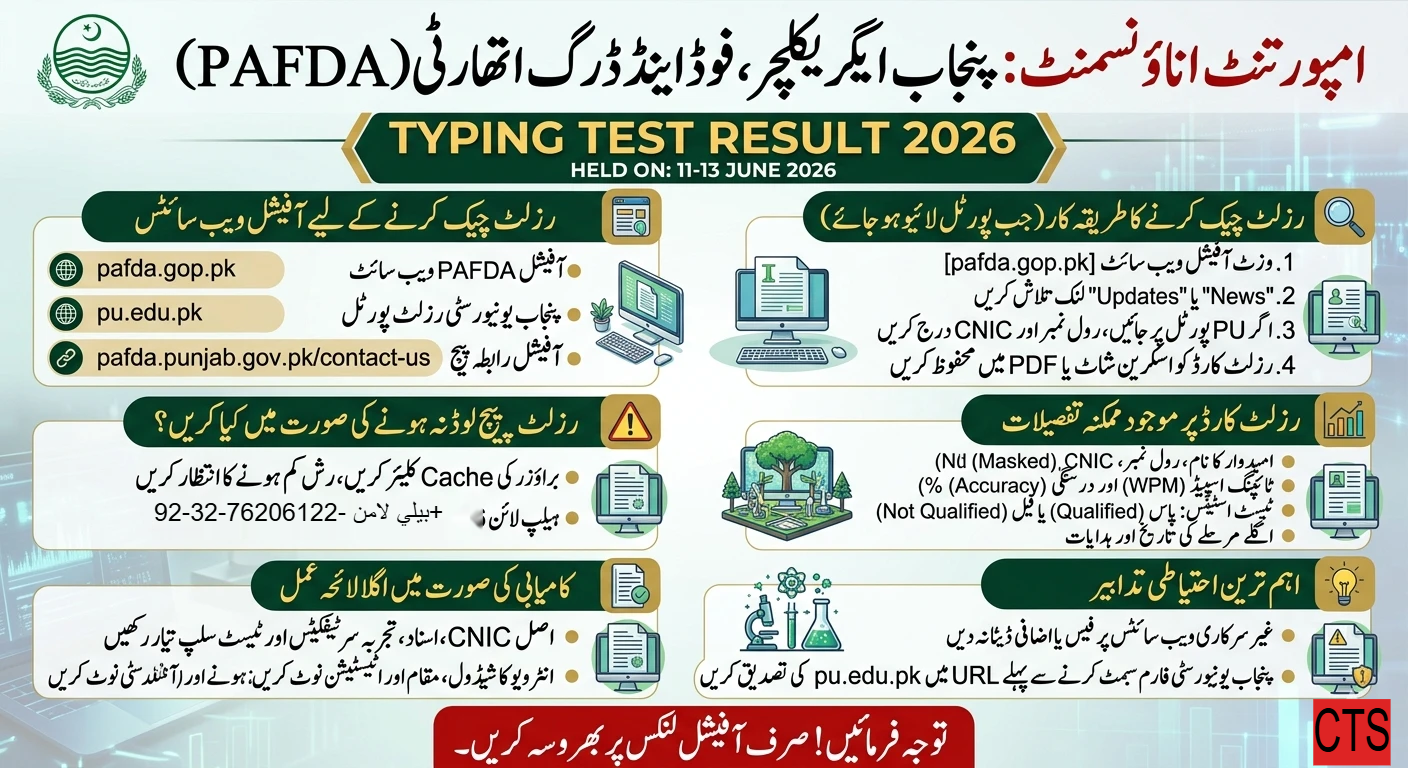
If you appeared in the Punjab Agriculture, Food and Drug Authority (PAFDA) Typing Test scheduled for 11–13 June 2026, this guide explains how to check your result safely, where officials typically publish results, and what to do if the result page isn’t live yet. All pointers below refer to official or high-authority sources.
PAFDA Typing Test Result 2026 Held On 11 to 13 June Check
Candidates who appeared in the PAFDA (Punjab Agriculture Food and Drug Authority) tests can access their scores directly through the Punjab University PAFDA Result Portal or the University of the Punjab Main Page

Where PAFDA results are usually published
• Official PAFDA website: https://pafda.gop.pk/ — news, notices, and contact channels.
• University of the Punjab domains sometimes host result portals for government testing: https://pu.edu.pk/ (result pages may be accessible via dedicated subpages or forms).
• PAFDA’s contact page for verification and help: https://pafda.punjab.gov.pk/contact-us.
Note: As of now, a dedicated “Typing Test Result 2026” page is not directly visible on these public URLs. Result portals are often posted closer to, or shortly after, the test dates. Always prefer official links over third-party blogs.
How to check your PAFDA Typing Test Result (when live)
Go to the official hub first: https://pafda.gop.pk/
Check “News”, “Updates”, or the homepage banner for a “Typing Test Result 2026” link.
If directed to a University of the Punjab result portal, follow the on-page instructions:
– Enter your Roll Number and/or CNIC exactly as on your admit slip.
– Submit and view your result/scorecard.
Save a PDF or screenshot of your result for records.
Tip: If a short “PU result” link is shared (e.g., a page under pu.edu.pk), ensure the domain is exactly pu.edu.pk before entering personal details.

Expected result details
When the result page goes live, you can typically expect:
• Candidate name, Roll No., CNIC (masked)
• Typing speed (WPM) and accuracy (%)
• Pass/Fail or Qualified/Not Qualified status
• Next step (interview/document verification) instructions and dates
• Any objection/rechecking window (if applicable)
If the result page isn’t loading
• Clear cache or try a different browser.
• Access during off-peak hours.
• Confirm via PAFDA helpline (+92-42-99233616 on https://pafda.gop.pk/) or their official social media linked on the homepage.
• Use the Contact Us page to request status: https://pafda.punjab.gov.pk/contact-us.
Important cautions
• Avoid non-official portals that ask for fees or excessive personal data.
• Cross-check any third-party “result” claims against announcements on https://pafda.gop.pk/.
• If you find a PU-hosted result form, verify it’s linked from either the PAFDA site or the official PU domain (https://pu.edu.pk/).
What to prepare after checking your result
• Keep original CNIC, academic and experience documents, and your test admit slip ready.
• If qualified, note interview schedule, venue, and document attestation requirements from the official notice.
• If a rechecking/objection window is offered, follow the given email or portal process precisely and within the deadline.
This article focuses only on verifiable, official touchpoints for checking the PAFDA Typing Test Result 2026. For the most current status, check the PAFDA homepage periodically. PAFDA official site PAFDA contact page